DEMO ·
See the app in action, without registering
Below you'll see the main features using example screens. These are illustrations only: no real file data is shown.
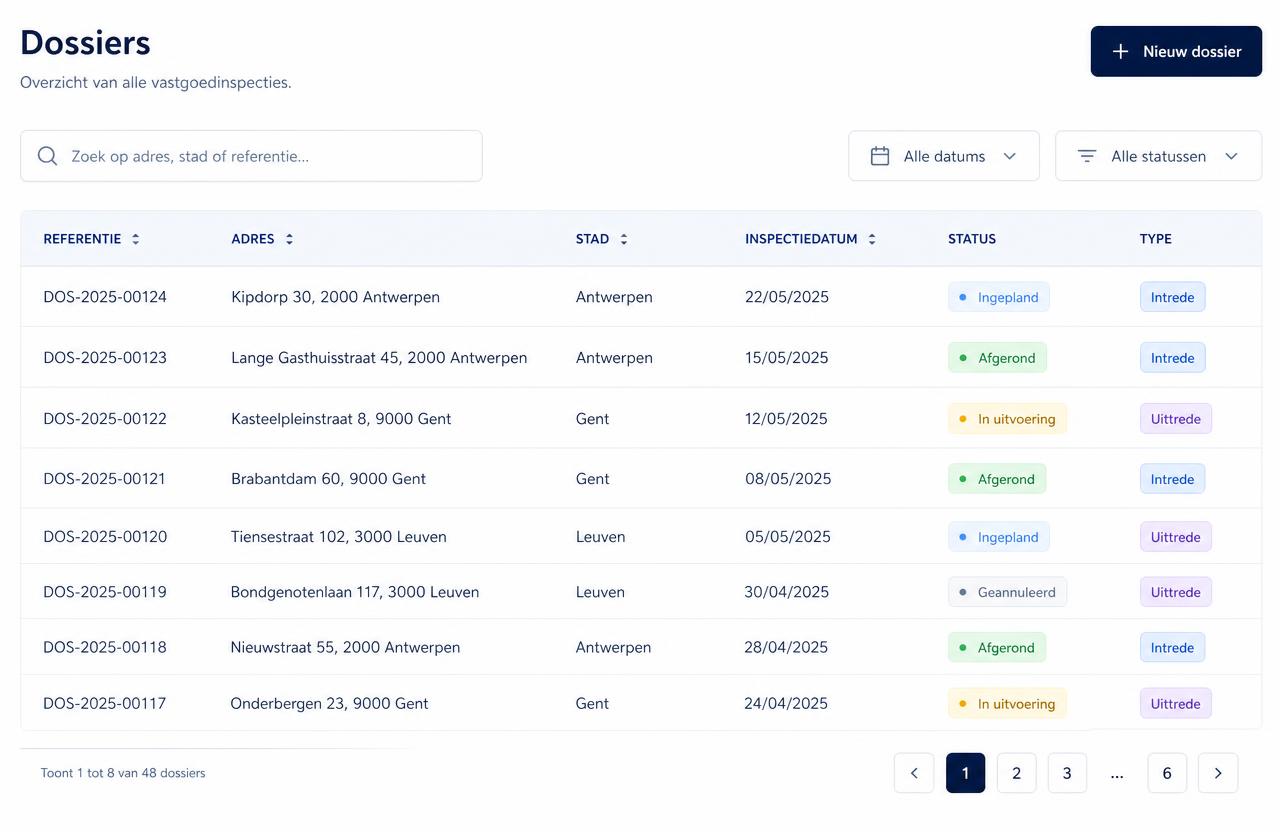
1. File overview
All your condition reports in one place, with address, date, status and record type.
On a move-out, you can copy the move-in file so you start from the earlier observations.
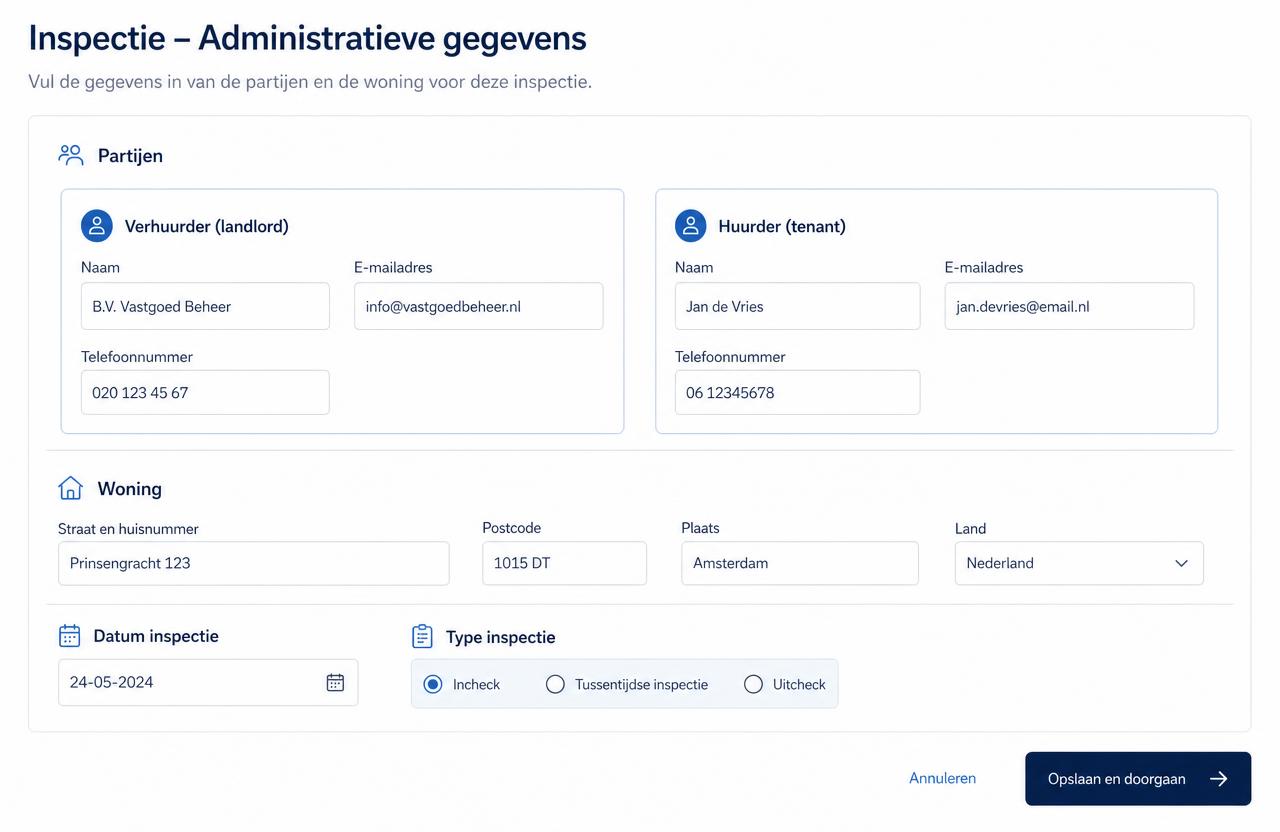
2. Administrative header
Parties, property address, date of observation and record type: move-in, move-out or interim.
This data automatically appears in the header of the PDF report.
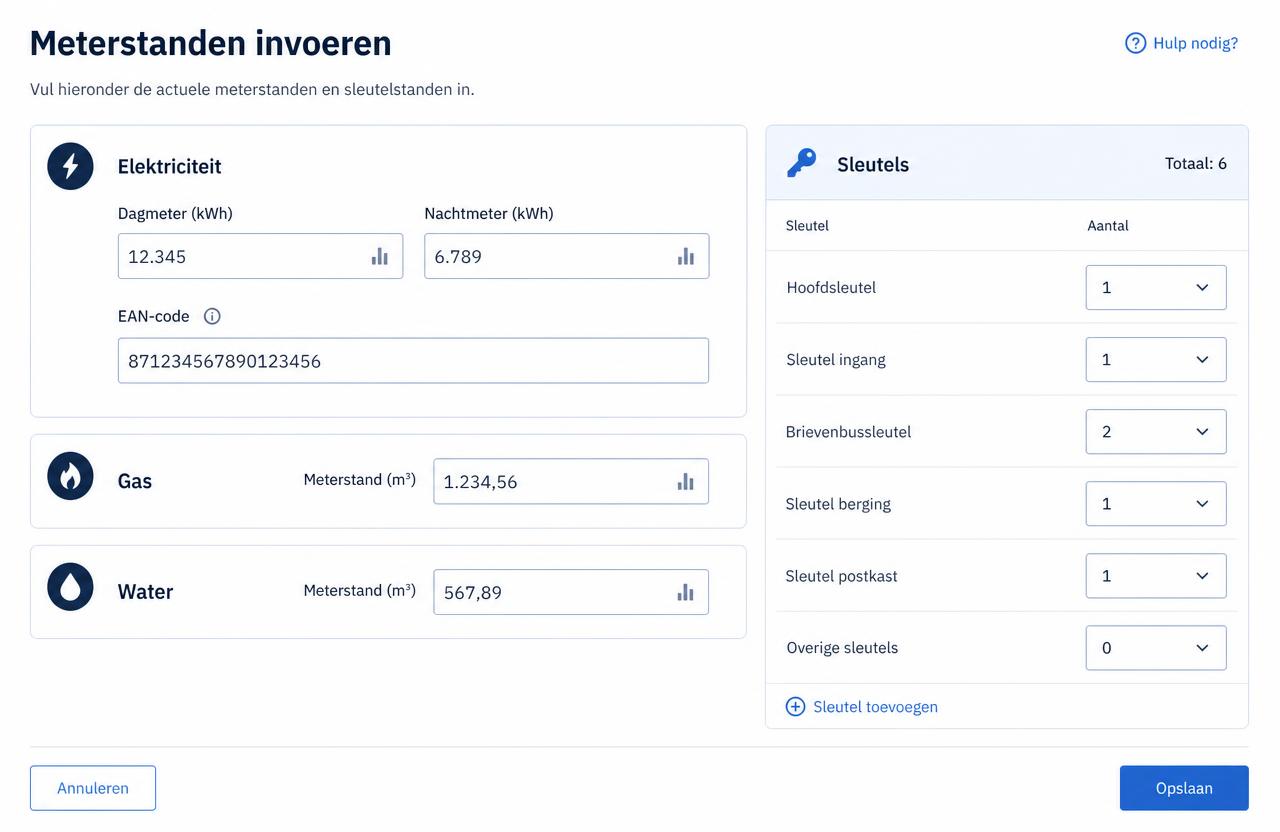
3. Meter readings and keys
Electricity with day, night and feed-in readings plus EAN, gas and water with meter number.
An exact key list with quantities, so no dispute arises when keys are returned.
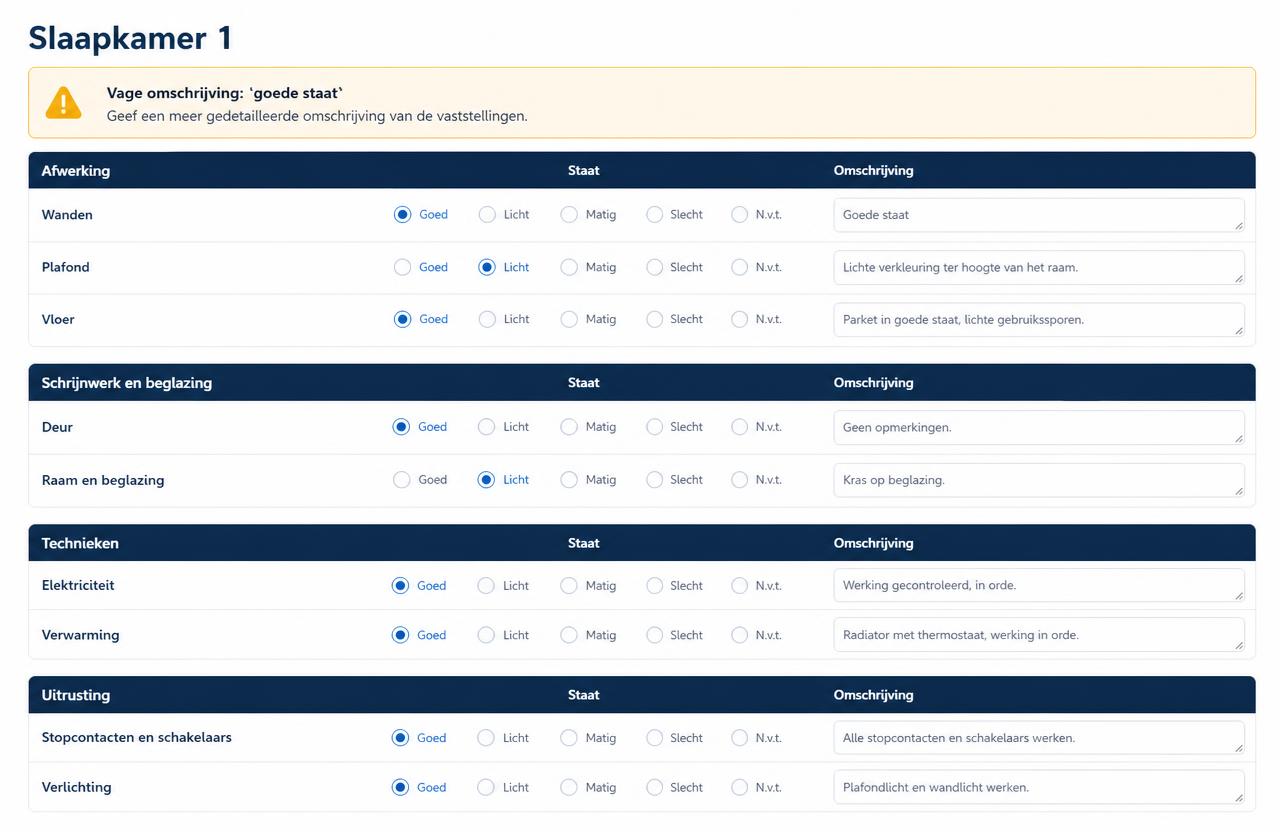
4. Room by room
A fixed structure per room: finishes, doors and windows, fixtures, equipment and appliances.
The app warns for vague phrasing such as "good condition", "dirty" or "OK", and asks for a reason whenever something could not be checked.
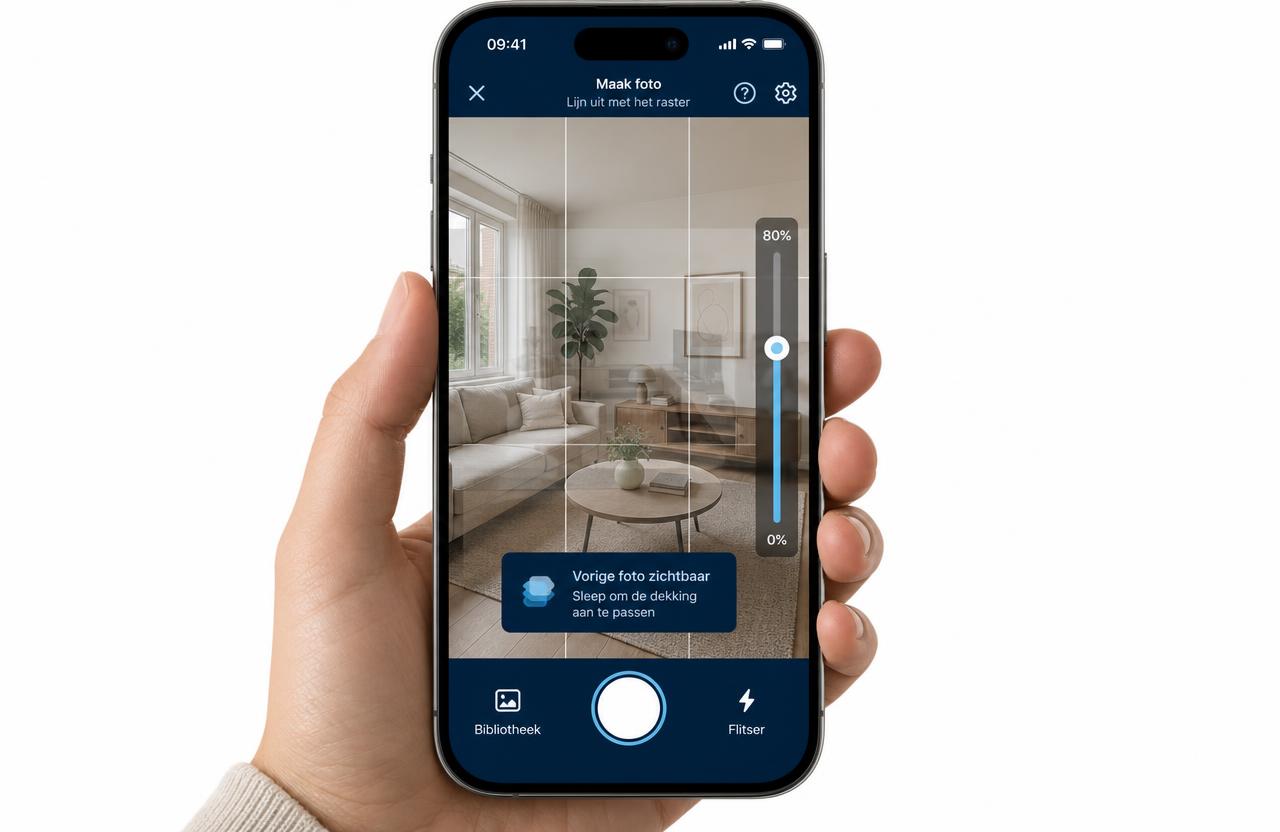
5. Camera with guide grid and ghosting
Take photos directly in the app, with a guide grid for a straight, recognisable shot.
On a move-out, overlay the move-in photo semi-transparently on the live view, so you find exactly the same vantage point.
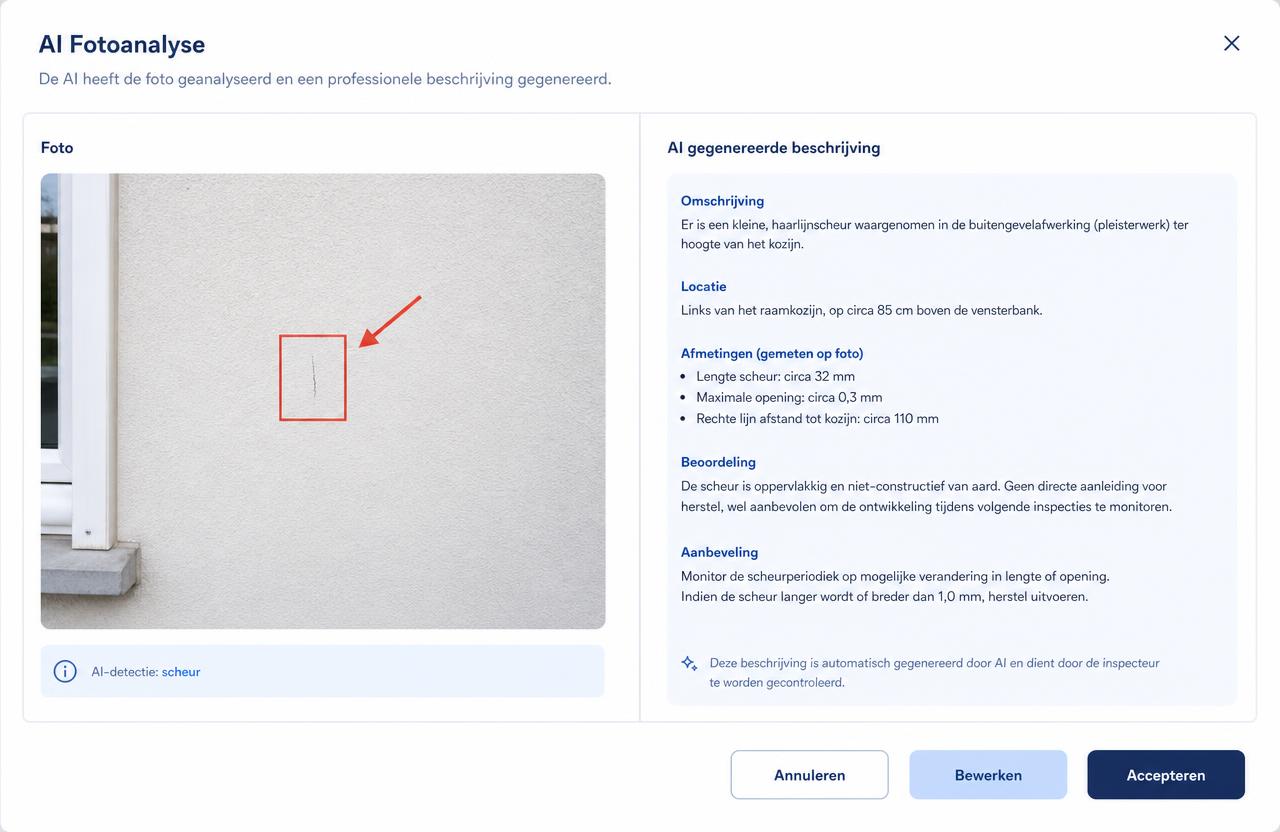
6. Smart photo analysis
Mark what's relevant with an arrow, frame or label, and let the analysis suggest a neutral, measurable observation.
You always have the final say: every suggestion can be edited before you accept it.
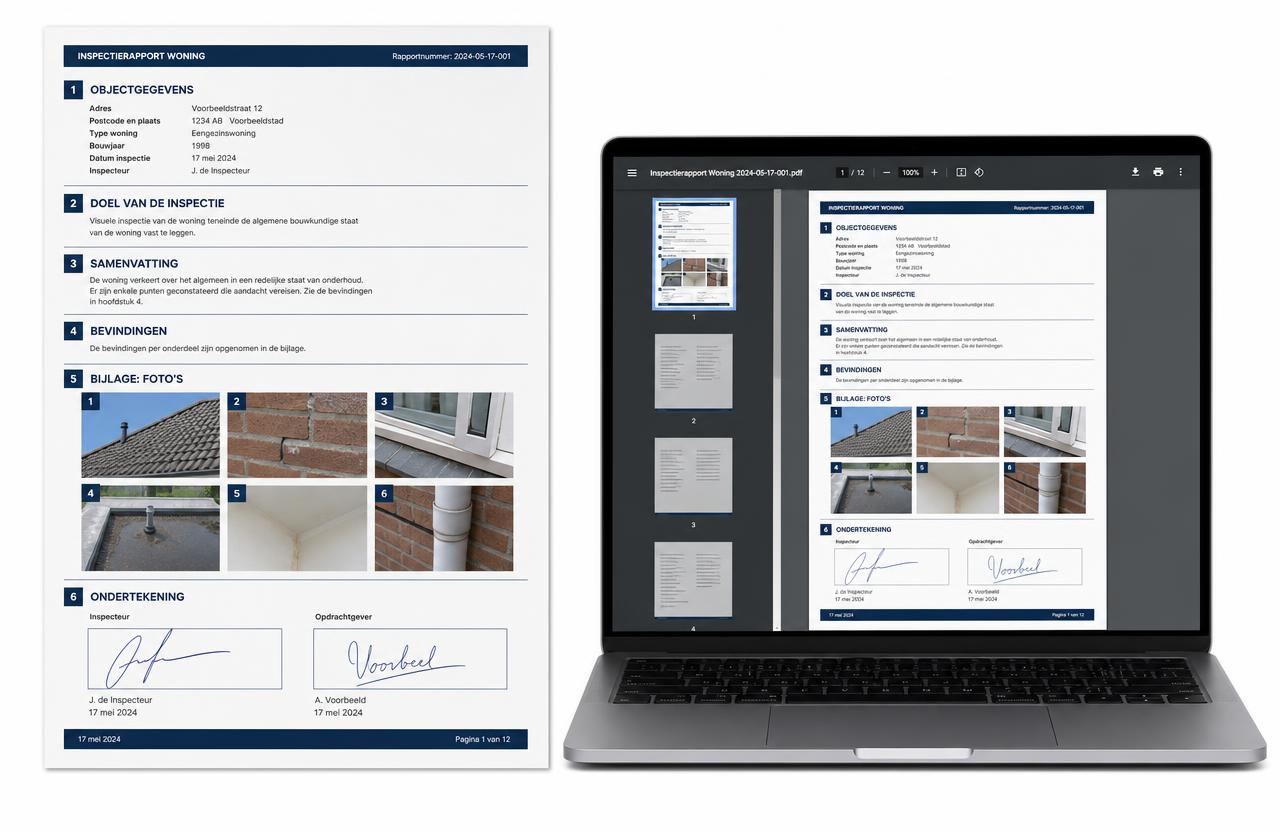
7. Working document, report and signature
Start with the working document in which the parties accept the working method, then upload the signed copy.
Finish with a single numbered PDF file with photo attachment and a digital signature from each party; the report is then locked.
Professional annual subscription
€200 incl. VAT per year
- 12 months of access from activation
- For professional users
- Billed annually
Ready to get started?
The app is intended for professional users who draft or manage condition reports. Professional annual subscription: €200 incl. VAT per year.